pixels
By June Ong
Lag N Crash 2025
For some reason, it seems as though this folder of pixels are not what they seem. Can you find out what is going on?
Solution
-
we are provided with a zip file,
pixels.zip. unzipping gives apixels/directory with 625 subfolders, each namedpixel_<row>_<col>(rows and cols going from 0 to 24). every folder holds a single 500x500 png.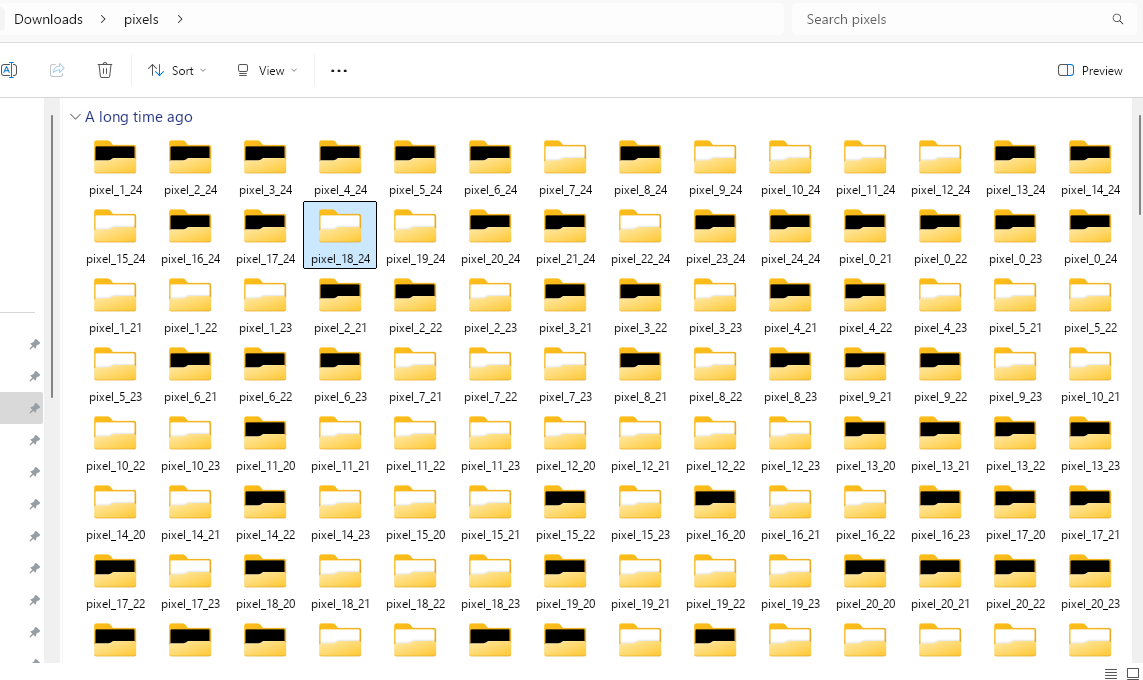
opening a few of the pngs, they’re all just solid colour, either fully black or fully white. 625 = 25*25, so the folder name basically tells you where that tile goes in a 25x25 grid. one image = one qr module.
-
from here it’s just reconstruction. sample the centre pixel of each tile (since each png is uniform), stitch them into a 25x25 grid, scale up so it’s actually scannable, and slap on a quiet zone so
pyzbardoesn’t complain.from PIL import Image from pyzbar.pyzbar import decode N = 25 MODULE = 20 # px per module BORDER = 4 # quiet zone in modules size = (N + 2 * BORDER) * MODULE img = Image.new('L', (size, size), 255) for r in range(N): for c in range(N): tile = Image.open(f'pixels/pixel_{r}_{c}/pixel_{r}_{c}.png').convert('L') v = tile.getpixel((250, 250)) colour = 0 if v < 128 else 255 for dy in range(MODULE): for dx in range(MODULE): x = (c + BORDER) * MODULE + dx y = (r + BORDER) * MODULE + dy img.putpixel((x, y), colour) img.save('qr.png') print(decode(img)) -
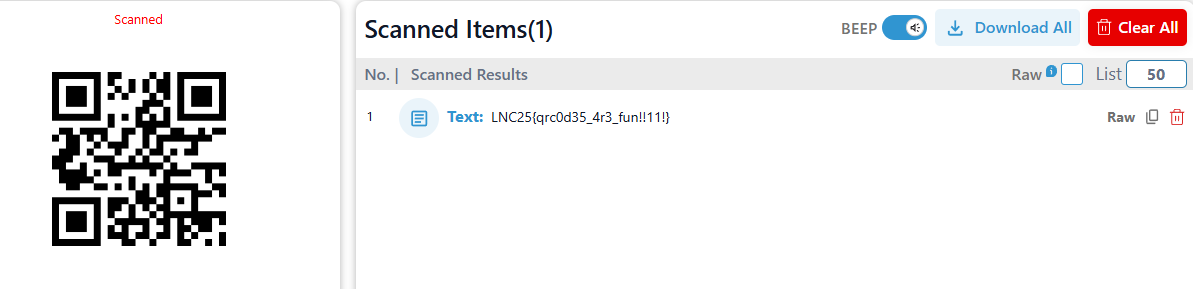
run it, scan the qr, get the flag!